

Nowadays, a smartphone is not just a device—it is also a vault for sensitive and confidential information such as our bank accounts, photo albums, office emails, and identity documents. Therefore, panicking when your phone is lost or stolen is natural. However, speed is more important than panic; the steps you take in the first half hour determine the likelihood of recovering your phone and keeping your data secure. I previously wrote a column right here on the same subject back in 2024; to read it and learn about Sanchar Saathi, you can visit my bilingual blog at www.cybermithra.in. In this column, I will explain the necessary precautionary measures, the changes that have taken place over the past two years, and the new tools available.
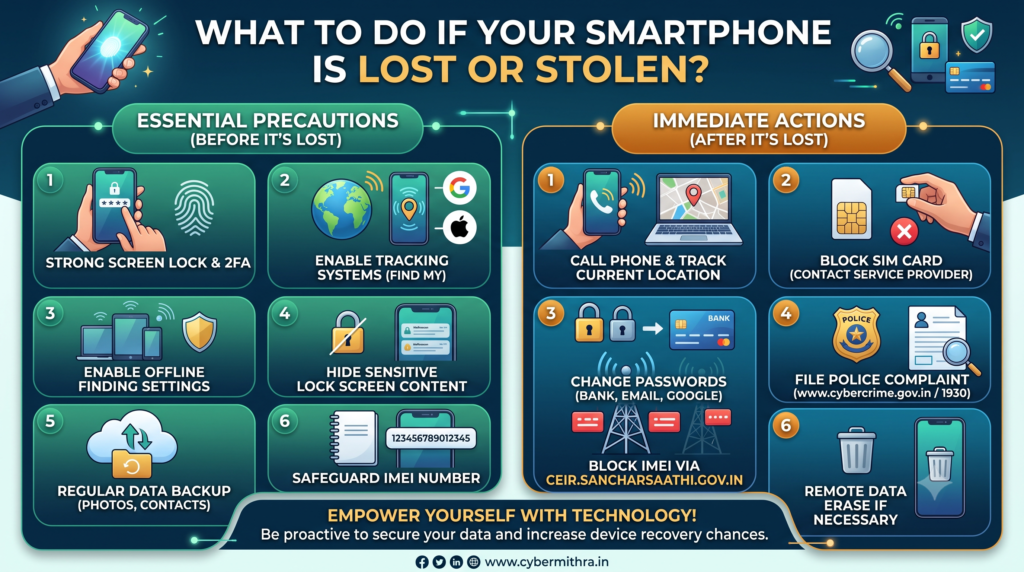
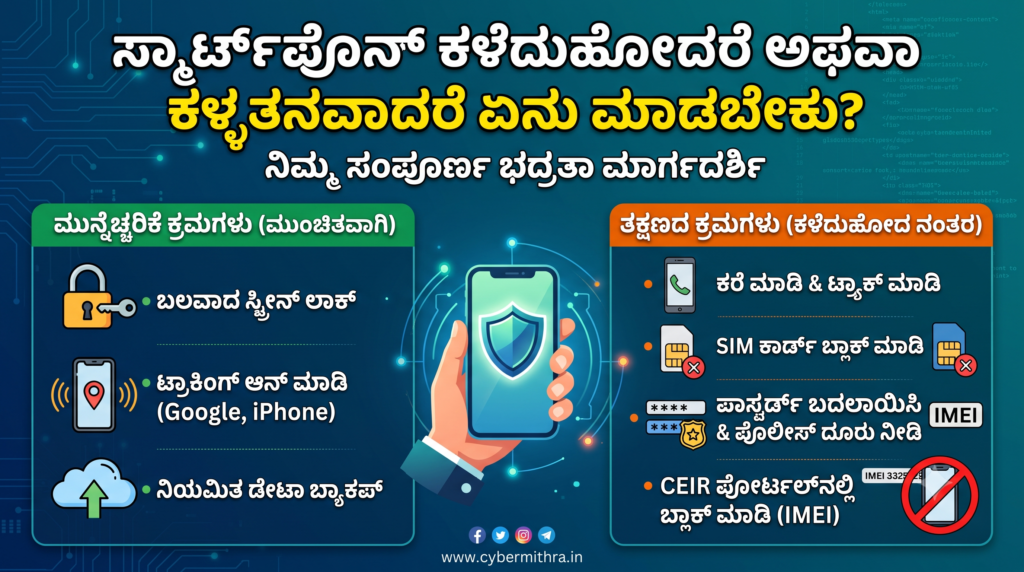
Essential Precautions to Take Before Your Phone Is Lost :-
- Use a strong screen lock: Use at least a 6-digit PIN or a strong password alongside Fingerprint/Face ID, and enable Two/Multi-Factor Authentication (2FA) wherever possible.
- Enable tracking systems: Install and activate Google’s Find Hub on Android phones and the Find My app on iPhones. This helps in locating the device, ringing it, locking it remotely, and erasing data if necessary.
- Enable offline finding settings: If the Find Hub network on Android and the Find My network on iPhone are active, there is a chance of detecting the phone’s location using nearby devices even when it is not connected to the internet. Therefore, keep that setting turned on. Samsung users should install Samsung Find, and iPhone users should activate the Stolen Device Protection feature. Additionally, enable Offline Device Lock and Theft Protection in your Android phone settings if available. This helps you track the device even if it is offline (switched off or the SIM removed).
- Hide sensitive content on the lock screen: Stop the preview of sensitive details—such as OTPs, banking notifications, WhatsApp messages, or full email details—on your lock screen.
- Back up regularly: Take regular backups of your phone’s photos, contacts, WhatsApp data, and essential documents.
- Safely record your IMEI number: Keep a safe record of your device’s IMEI numbers. You can get that on the mobile box or by dialing *#06# on your phone.
- Set a Lock Screen Message: Go to the ‘Lock Screen Message’ setting on your phone and add an alternate contact number belonging to your family members.
- Lock critical apps: Set up an app lock or biometric authentication specifically for banking, UPI, and WhatsApp applications.
Steps to Take Immediately After Losing Your Smartphone :-
- Call the phone first; it might still be somewhere nearby. Also, attempt to check its current location using the tracking apps or websites mentioned above.
- As soon as you confirm it is lost, contact your telecom service provider to block your phone number, which will significantly reduce risks tied to OTP theft.
- Immediately change the passwords and PINs for your email, Google accounts, and bank accounts, and keep a close eye on your accounts for any unusual financial transactions for some time.
- File a police complaint (via the cyber helpline 1930, the website www.cybercrime.gov.in, or at your nearest cyber/regular police station). Following this, block the lost phone’s IMEI through ceir.sancharsaathi.gov.in. Once the IMEI is blocked, the handset cannot be used on any cellular network in India. Crucially, even after the IMEI is blocked on CEIR, law enforcement can still trace the device. Under the Sanchar Saathi system, if the thief attempts to insert another SIM card into the phone, the network logs this data, helping the police track down the lost device. According to the Sanchar Saathi portal, 5,871,969 phones have been blocked to date, 3,656,450 mobiles have been traced, and 1,328,392 devices have been successfully recovered and returned.
Finally, the preventive steps you take beforehand do far more to protect your data from misuse and improve the chances of device recovery than the actions taken after a theft occurs.
Here is the simple checklist to keep in mind when your mobile is lost:
Track → Lock → Block SIM → File Police Complaint → Block IMEI on CEIR → Erase Data if necessary.
Using technology properly will not only boost the likelihood of getting your lost mobile back, but it will also protect the invaluable personal information stored inside it.