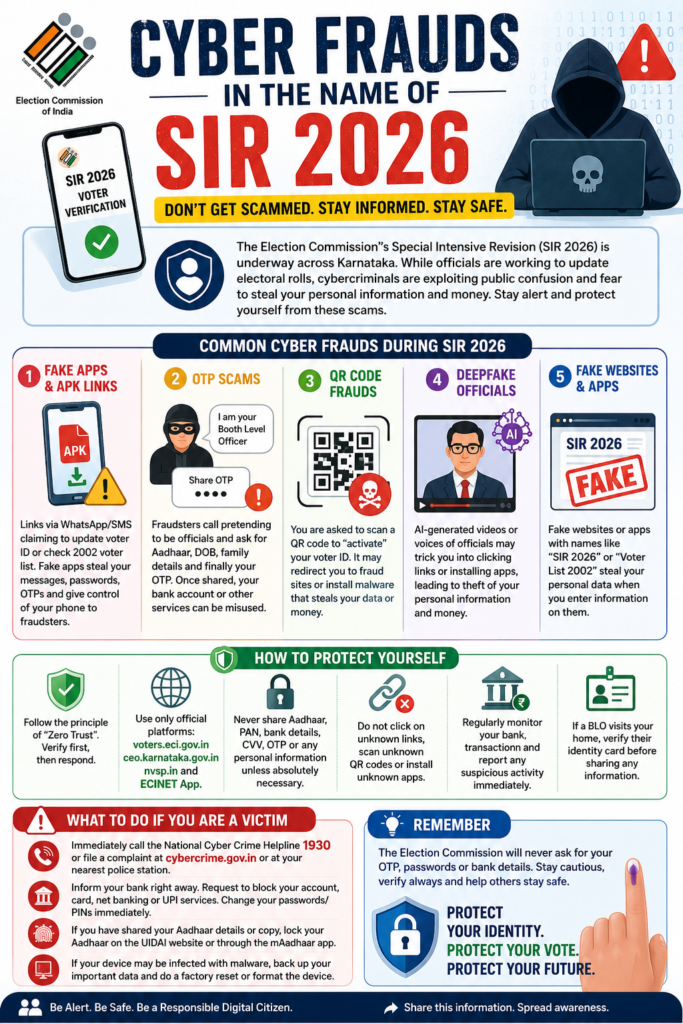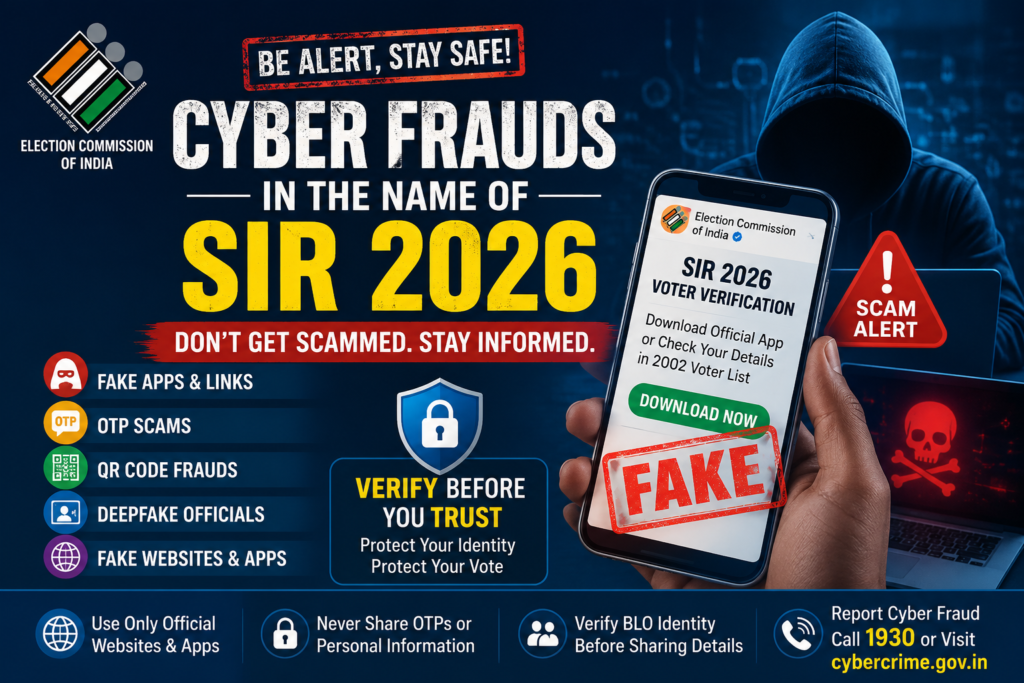


The Election Commission’s Special Intensive Revision (SIR) 2026 is currently underway across Karnataka. While Booth Level Officers (BLOs) are visiting homes to verify and update electoral rolls, cybercriminals have found a new opportunity to exploit public confusion and anxiety. Taking advantage of the ongoing voter verification drive, fraudsters are launching sophisticated cyber scams targeting innocent citizens in both urban and rural areas. Many people are worried that mistakes in the voter verification process could result in the loss of their voting rights. Others fear they may lose access to government welfare schemes or other benefits if their voter records are not updated. Cybercriminals are exploiting these fears to deceive people into revealing sensitive information or installing malicious software.
This article explains the common fraud techniques being used, how to identify them, and the steps you should take to protect yourself.
Common Cyber Frauds During SIR 2026
1. Fake Mobile Applications and APK Links
You may receive a WhatsApp message or SMS containing a link claiming to be from the Election Commission. The message may say:
- “Download the official Election Commission app to update your Voter ID.”
- “Check your details in the 2002 electoral roll.”
- “Complete your SIR 2026 verification online.”
The link usually leads to a fake Android APK file or a fraudulent website. Once installed, the malicious application can gain access to your mobile phone, including your SMS messages, banking credentials, passwords, contacts, photographs, and One-Time Passwords (OTPs). In many cases, fraudsters obtain complete remote control of the device.
2. OTP Verification Scam
A caller may introduce themselves as your Booth Level Officer (BLO) or another Election Commission official. They may ask for your Aadhaar number, date of birth, family details, or voter information under the pretext of verifying your electoral records. Towards the end of the conversation, they ask you to share an OTP that has just been sent to your mobile phone. Once you reveal the OTP, they can misuse it to access your bank account, digital wallet, email, or other online services.
Remember: No genuine Election Commission official will ever ask for your banking OTP.
3. QR Code Scam
Another common trick is sending a QR code with instructions such as:
- “Scan this QR code to activate your Voter ID.”
- “Complete your voter verification by scanning this code.”
Scanning such QR codes does not activate any government service. Instead, it may redirect you to fraudulent payment gateways, initiate unauthorized transactions, or install malware, spyware, or keylogging software on your mobile phone or computer.
4. AI-Generated Deepfake Officials
Cybercriminals are increasingly using Artificial Intelligence to create convincing deepfake videos and voice recordings that resemble government officials. The fake official may appear in a video asking citizens to click on a link, install an application, or provide personal information to complete voter verification. Since the voice and appearance seem authentic, many people trust the message and follow the instructions. This often results in theft of personal information, financial fraud, or compromise of their digital devices.
5. Fake Websites and Mobile Applications
Fraudsters also create counterfeit websites and mobile applications using names such as:
- “SIR 2026”
- “Voter List 2002”
- “Election Verification Portal”
These fake platforms are designed to closely resemble official government websites. Citizens who enter their personal information—including Aadhaar details, voter ID numbers, phone numbers, or passwords—unknowingly hand over valuable data to cybercriminals.
How to Protect Yourself :-
The best defence against cyber fraud is caution and verification. Keep the following precautions in mind:
Follow the Principle of “Zero Trust” : Never trust any digital communication simply because it appears official. Verify every message, phone call, website, QR code, or mobile application before responding.
Use Only Official Election Commission Platforms : For any voter-related information or services, rely only on the official Election Commission portals and applications, including:
- voters.eci.gov.in
- ceo.karnataka.gov.in
- nvsp.in
- ECINET mobile application
Avoid clicking on links received through WhatsApp, SMS, email, or social media.
Never Share Sensitive Information : Do not disclose the following information to unknown callers or through unofficial websites:
- Aadhaar number
- PAN details
- Bank account information
- Debit or credit card details
- CVV
- OTP
- Internet banking passwords
- UPI PIN
Provide personal information only when absolutely necessary and only after verifying the identity of the requesting authority.
Avoid Unknown Links and QR Codes : Never click on suspicious hyperlinks, scan unknown QR codes, or install applications sent by strangers. Even if the message appears to come from a friend or family member, verify it before taking any action.
Monitor Your Bank Transactions : Regularly review your bank statements and mobile banking transactions. If you notice any unauthorized activity, immediately contact your bank and report the incident.
Verify the Identity of Visiting Officials : If a Booth Level Officer visits your residence for voter verification, politely ask to see their official identity card before sharing any information.
What To Do If You Become a Victim :-
If you suspect that you have fallen victim to a cyber fraud, act immediately.
- Call the National Cyber Crime Helpline 1930 without delay.
- Register a complaint at cybercrime.gov.in or report the incident to your nearest police station.
- Inform your bank immediately and request temporary blocking of your bank account, debit card, credit card, net banking, or UPI services if necessary.
- Change your passwords, PINs, and login credentials for banking, email, and other important accounts.
- If you have shared your Aadhaar details or uploaded a copy of your Aadhaar card, temporarily lock your Aadhaar using the official UIDAI website or the mAadhaar mobile application.
- If you suspect your mobile phone or computer has been infected with malware, back up your important data and perform a factory reset or format the device before reinstalling trusted software.
Conclusion
The Special Intensive Revision (SIR) 2026 is an important democratic exercise intended to ensure accurate electoral rolls. Unfortunately, cybercriminals are exploiting the process to deceive citizens. The best protection is awareness. Always verify information through official Election Commission channels, never share sensitive information with unknown individuals, avoid suspicious links and applications, and report cyber fraud immediately if you become a victim. Your vote is valuable—but so are your identity, your personal information, and your hard-earned money. Stay informed, stay cautious, and help spread awareness so that others do not fall prey to these scams.